
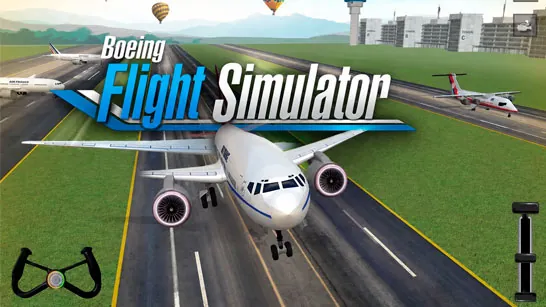





















Pilot a commercial airliner through realistic flight missions in Boeing Flight Simulator, a 3D aircraft simulation game that challenges your precision, patience, and navigation skills from takeoff to touchdown.
What is Boeing Flight Simulator?
Boeing Flight Simulator is a casual flight simulation game where you take control of a commercial Boeing-style passenger aircraft. Your objective is to complete realistic flight missions that require managing speed, altitude, fuel, and landing procedures.
The game features simulation mechanics including authentic cockpit instruments, fuel management, and navigation systems. As you progress, you earn coins to unlock additional aircraft and expand your piloting opportunities.
How to Play Boeing Flight Simulator
Start each mission on the runway by throttling up with [W] or the Up Arrow. Build sufficient speed before gently lifting the nose for takeoff. Green checkpoints guide your route through the sky, helping maintain proper navigation toward your destination.
Keep the aircraft stable with smooth control inputs and monitor your fuel gauge throughout the flight. As you reach the destination airport, reduce speed gradually and align with the runway for a smooth landing. Successful flights earn coins that unlock new aircraft with different handling characteristics.
How to Land in Boeing Flight Simulator
Landing requires patience and preparation. Begin reducing speed well before reaching the airport. Align your aircraft with the runway centerline and deploy landing gear. Maintain a steady descent rate and avoid steep approaches. Touch down gently to complete a successful landing.
Tips and Tricks for Boeing Flight Simulator
Build speed before liftoff
Ensure sufficient runway speed before pulling up to avoid stalling immediately after takeoff.Use smooth control inputs
Large aircraft respond best to gradual adjustments. Sharp movements can destabilize your flight path.Plan fuel for the route
Check your fuel level at the start of each mission and adjust your flight plan if needed to avoid running dry mid-flight.Line up for landing early
Begin your approach well before reaching the airport to give yourself time to align properly and reduce speed gradually.
Game Controls
| Action | Controls |
|---|---|
| Throttle Up / Take Off | W / Up Arrow |
| Throttle Down | S / Down Arrow |
| Turn Left | A / Left Arrow |
| Turn Right | D / Right Arrow |
| Adjust Aircraft | Mouse Move |
| Brake | Brake Button |
| Landing Gear | Landing Gear Button |
Key Features of Boeing Flight Simulator
Realistic Aircraft Physics
Authentic flight mechanics simulate lift, drag, and weight distribution. Each Boeing aircraft requires a slightly different approach.
Mission Progression System
Complete increasingly challenging flight missions to unlock new stages and expand your virtual aviation career.
Fuel and Navigation Mechanics
Monitor fuel consumption and follow checkpoint navigation to reach your destination safely.
Unlockable Aircraft Fleet
Earn coins through successful flights to add new Boeing aircraft to your collection.
Frequently Asked Questions
Can I play Boeing Flight Simulator online for free?
Yes, Boeing Flight Simulator is fully free to play in your browser on Abrainrot with no downloads or installation.
How do I control the aircraft?
Use WASD or arrow keys for throttle and steering, and your mouse for fine attitude adjustments. Practice smooth inputs for stable flight.
What causes a mission to fail?
Common failure causes include running out of fuel, crashing during landing, stalling after takeoff, or exceeding mission time limits. Plan each phase carefully.