
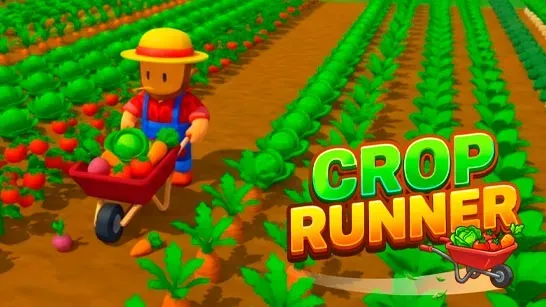









Crop Runner puts you in control of a farmer steering a growing line of wheelbarrows with one clear goal: clear every crop from the field and turn the harvest into coins. Crops pop into your storage sack automatically as you move, so the real decisions are about when to unload and how to spend your earnings.
How to Play Crop Runner
You start with a basic farmer setup: three wheelbarrows and limited starting storage. Move through crop rows and your storage fills up on its own. Once your sack is full, head to the selling area to unload and collect coins. Then decide how to reinvest: Capacity lets you carry more before each trip back, Speed helps you cover the field faster, and Size expands your wheelbarrow line from 3 up to 40 wheelbarrows.
You don’t have to finish a field before buying upgrades. The in-game shop is available whenever you have enough coins, so you can upgrade mid-run and immediately feel the difference on your next pass.
Six distinct farms unlock as you progress, each with different crops, currencies, and equipment. Fields grow larger over time, so an upgraded wheelbarrow line and larger sack matter more the further you go. Keep an eye out for golden crops worth 10x their normal price and giant crops worth 4x; those loads pay off significantly at the sell point.
Farmhands unlock as companions and help collect scattered crops you might miss. Daily Missions, special chests, and a Top Harvest leaderboard add extra goals beyond simply clearing each field.
Tips for Crop Runner
- Prioritize capacity early. Fewer trips to the sell point means more time harvesting. A large sack on every run is more efficient than high speed that forces constant unloading.
- Switch to speed upgrades when travel time hurts. On larger fields, the distance between crops and the sell point becomes the bottleneck. Speed upgrades cut that dead time.
- Shop between runs, not just after finishing a field. Upgrading mid-level is allowed and often the fastest way to push through a tough field.
- Chase golden and giant crops first. If you spot a golden crop, prioritize it. A 10x payout on a single item can fund your next upgrade faster than a full standard load.
Game Controls
| Action | Controls |
|---|---|
| Steer the farmer | WASD / Arrow Keys |
| Buy Capacity upgrade | 1 |
| Buy Speed upgrade | 2 |
| Buy Size upgrade | 3 |
| Open Exchange | X |
| Open Daily Missions | J |
| Open leaderboard | L |
| Drag joystick / click menus | Mouse |
What to Play Next
If you enjoy the steady upgrade loop in Crop Runner, a few other games on aBrainrot worth trying next, from upgrade loops to reflex challenges.
Geometry Dash trades the relaxed farming pace for tight reflex challenges: you guide a square avatar through obstacle courses synced to music, where a single mistake resets the run entirely.
My Singing Brainrot keeps the idle-growth feel but swaps crops for meme animals. You hatch creatures, build a singing team, and earn coins continuously through musical combos rather than field runs.
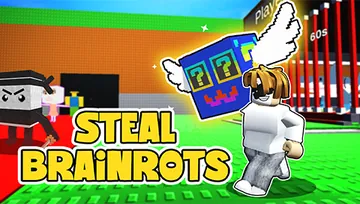
Steal Brainrots shifts the tycoon loop into a raid-and-defend structure. Instead of expanding a wheelbarrow line, you build a meme empire, raid other bases for resources, and protect your own from incoming attacks.
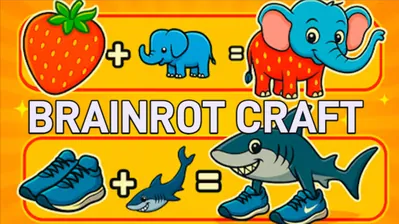
Brainrot Craft is the most freeform of the group, letting you merge absurd meme elements without a strict progression timer or field to clear.
Frequently Asked Questions
Do I have to finish a field before buying upgrades?
No. The shop is available at any point during a run. If you have enough coins, you can buy a Capacity, Speed, or Size upgrade immediately and continue harvesting with your upgraded setup.
What are golden and giant crops?
Golden crops sell for 10 times their normal price. Giant crops sell for 4 times their normal price. Both appear in the fields and are worth collecting before standard crops when your storage is nearly full.
How many farms are in Crop Runner?
There are six distinct farms to unlock, each featuring different crops, currencies, and equipment as you progress.