
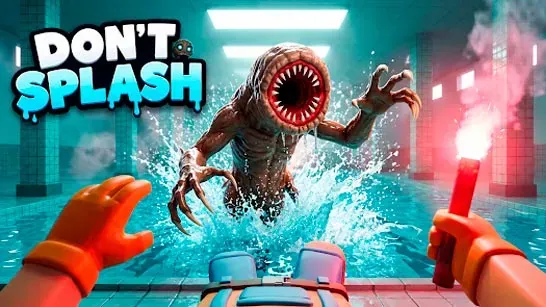





Don’t Splash is a 3D survival platformer set in a fog-covered abandoned pool complex. Cross nine rooms, stay on the platforms, and escape without giving the blind creature an easy trail to follow. It cannot see you, but splashes and movement sounds reveal your position.
How to Play Don’t Splash
Jump between floating platforms while watching for unstable surfaces, shifting floors, rotating bridges, and other hazards. Falling into the water alerts the creature within 40 meters. Swimming leaves a sound trail every 1.5 seconds, while thrown pebbles attract it within 25 meters and bottles within 35 meters.
Use distractions when the creature is near the route you need. Keep away from platform edges too: standing within roughly two meters of an edge can expose you to a sudden grab, while staying near the center can keep you undetected when you are stationary.
The nine rooms each test a different part of the escape. Pillar Hall teaches the basic jumps, Broken Walkway uses timed long jumps, and Sinking lowers platforms under your weight. Rotating Bridge has spinning platforms, Moving has mechanized platforms above the water, and Drifting uses floating debris and changing momentum. Memory Bridge requires you to follow invisible or sequence-based paths, while Crushing Walls adds timed runs around moving walls. In Locked Exit, photograph four hidden pillar numbers and enter the final code.
Tips for Surviving Each Room
Check the distance and stability of the next platform before jumping. Rushing increases the chance of falling into the water, which can expose your location and start a chase.
Watch moving obstacles and wait for a safe opening before crossing. When a distraction is available, throw it to pull the creature away from your intended route instead of using it without a clear purpose. Remember dangerous platform patterns after a failed attempt so your next route is more controlled.
Easy uses shorter sections, denser platforms, and slower creature movement. Normal is the standard challenge, while Hard is a locked difficulty tier. You can play alone or in local two-player split-screen; in co-op, a surviving partner can revive a grabbed or downed player by holding the assigned key for three seconds.
Game Controls
In solo mode, use WASD or the arrow keys to move, the mouse to look around, Space to jump, Shift to run, Left Click to throw a distraction, R to take a photo, Q to push objects, E to interact or unlock the exit door, and P to pause. In two-player mode, Player 1 walks with W and S, turns with A and D, uses or throws items with F, and holds E for three seconds to revive a partner. Player 2 walks and turns with the arrow keys, jumps with Enter, uses or throws items with L, and holds O for three seconds to revive a partner.