
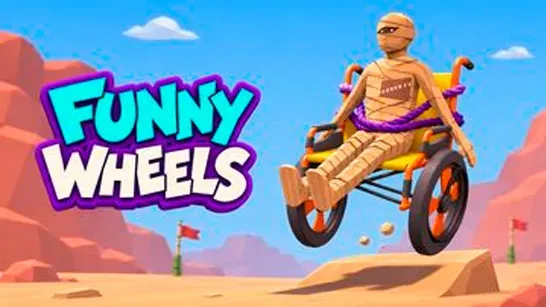





Funny Wheels puts you in control of a wheelchair where each wheel moves independently. Push both wheels together to roll forward, adjust one relative to the other to steer, and manage your momentum carefully enough to survive 12 levels packed with moving traps, narrow bridges, slippery surfaces, and environmental puzzles.
How to Play Funny Wheels
The core challenge is coordination. Both wheels need to turn at a similar pace to move straight; favor one and the chair starts to spin. Near corners or narrow platforms, too much speed can push you off the edge before you can correct. Small, synchronized inputs are more reliable than aggressive pushes, especially early on.
The game includes a two-player mode where each person controls one wheel. That split responsibility demands communication: agree on when to accelerate, when to slow down, and when to turn, or you’ll spend most of the run going in circles. Solo play puts both wheels under your control at once, which is its own kind of coordination puzzle.
As levels progress, obstacles become more demanding. Moving platforms, tight corridors, and tricky paths require sharper timing and quicker recovery. Eleven checkpoints save your progress along the way, and collecting coins unlocks customization options. A separate Wheel Race mode lets you compete against three opponents across ten themed racing stages.
Hilarious ragdoll physics mean a failed maneuver sends your rider tumbling visibly, which makes every recovery attempt both frustrating and entertaining. If you fail repeatedly, the checkpoint system keeps you from restarting the entire course.
Tips for Staying on Track
- Sync before you speed up. Learn how the wheelchair responds with small, matched inputs before pushing for pace.
- Slow before turns. Carrying too much momentum into a corner is the most common way to tip or fall off a narrow platform.
- Avoid sudden corrections. A sharp counter-input to fix a drift often makes the spin worse. Ease back instead.
- Use checkpoints actively. Press R to return to the last checkpoint rather than riding out a bad run.
Game Controls
| Action | Controls |
|---|---|
| Push left wheel | A / Left Arrow |
| Push right wheel | D / Right Arrow |
| Move forward | Both wheel keys |
| Return to checkpoint | R |
| Pause | Esc / P |
| Reset camera | Space |
| Adjust camera angle | I / K / J / L |
| Look around | Right Mouse Button + Drag |
| Zoom | Mouse Wheel |
What to Play Next
Geometry Dash is another precision-focused obstacle game, but it swaps physics-based momentum for tight rhythm timing across neon courses synced to music.
Obby Steal a Brainrot Playground keeps the obstacle-course structure but layers in meme chaos and building mechanics rather than pure balance control.
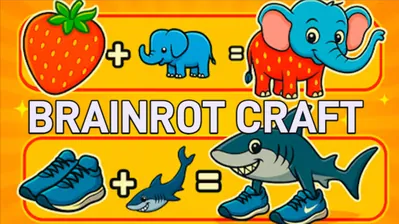
Brainrot Craft shifts away from obstacle navigation entirely, letting you merge absurd meme elements at your own pace with no failure conditions.
My Singing Brainrot trades physical coordination for musical combos, where hatching meme animals and building a singing team drives the loop instead of reaching a finish line.