























Soccer Bros
A high-velocity, physics-driven sports simulator that demands rapid coordinate tracking and precise input timing, this competitive title offers high individual skill expression. For players looking for a browser-based sports game with competitive matchmaking and rigid structural constraints, it represents an exceptional mechanical training ground.
What is Soccer Bros
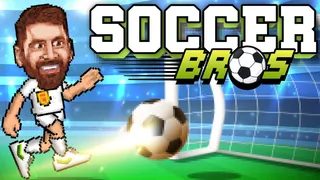
Soccer Bros is a technical, physics-based unblocked sports game where players navigate custom-designed avatars of real-world soccer superstars. The gameplay features diverse tournament and online matchmaking modes, testing a player’s spatial control, ball-handling mechanics, and active tackle-dash timing on a 2D plane.
The underlying gameplay mechanics prioritize acceleration curves, projectile geometry, and predictive positioning. Accessible as an unblocked version in all standard web browsers, it operates smoothly at a high frame rate without the need for client installations.
Game Modes
- 1v1 Competitive Mode: The standard single-player arena format pitting your chosen superstar against an AI or human opponent in a direct test of mechanical proficiency.
- 2v2 Cooperative Mode: A doubles format featuring team-based synergy where players collaborate with an AI or local teammate to manage spatial coverage.
- AI Practice Mode: A low-stakes sandbox environment designed to analyze ball trajectories, goalie timing, and tackle frames.
- Real-Time Multiplayer: An online lobby architecture that matches players globally in dedicated, low-latency game rooms.
How to Play Soccer Bros
The fundamental gameplay objective is to maximize scoring efficiency within a fixed match duration. Each side controls one active superstar while maintaining a computer-controlled goalie moving along a fixed vertical track. Characters are differentiated by baseline attributes across speed, jump height, and tackle-dash distance—demanding player adaptability depending on character matchups.
Successful execution relies heavily on ball containment, jumping to block airborne lobs, and utilizing dashes to dispossess opponents. Understanding goalie track limits allows players to execute high-probability shots by aiming for open frame corners.
Game Controls
Study the keyboard configurations for solo play and split-screen local 2-player tournaments.
| Action (1-Player Mode) | PC Controls |
|---|---|
| Movement (Left / Right) | A, D or Arrow Keys |
| Vertical Jump | W or Up Arrow |
| High-Impact Kick / Shoot | Space |
| Defensive Tackle / Dash | S or Down Arrow |
For local multiplayer:
- Player 1: WASD keys for movement, Space for action (kick/tackle).
- Player 2: Arrow keys for movement, Enter for action.
Tips and Tricks
- Optimize Tackle Recovry
The tackle-dash (S or Down Arrow) triggers a temporary recovery state. Only initiate a tackle when the opponent is inside your strike radius to avoid leaving your half exposed to open shots. - Exploit Goalkeeper Coordinate Limits
The AI goalie moves dynamically based on ball trajectory. Dribble the ball to one side of the frame to draw the keeper’s positioning, then execute a diagonal kick to the opposite corner. - Leverage Player Attribute Profiles
Select high-speed superstars (like Mbappe) for fast offensive breaks, or choose high-jump characters (like Ronaldo) to dominate defensive header battles.
More Games Like Soccer Bros
- Wrestle Bros: A tactical split-screen wrestling simulator prioritizing throw execution, spacing, and dynamic positioning.
Frequently Asked Questions
Is Soccer Bros Free to Play?
Yes, the complete unblocked version of Soccer Bros is accessible free of charge in your web browser.
How to Unlock Premium Player Skins?
Skins and accessories are unlocked by winning consecutive matches in the Tournament bracket, which accumulates resources for the character store.