























Steal the Brainrot: Collect Them All
The first time I jumped into Steal the Brainrot: Collect Them All, I told myself I’d open just a few blocks and move on. That plan didn’t last long. Every click fed into this weird, satisfying loop of earning coins, opening boxes, and hoping the next Brainrot would be something rare and unhinged. Before I knew it, I was deep into the grind, chasing that next lucky pull and telling myself, “Just one more block.”
What is Steal the Brainrot: Collect Them All
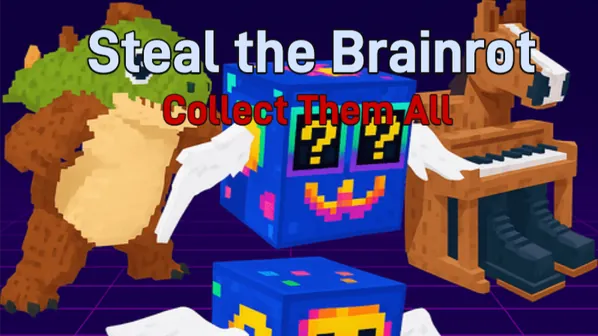
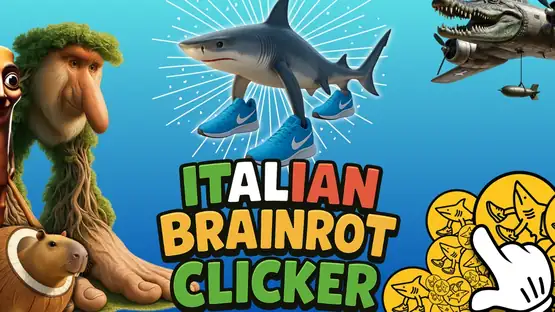
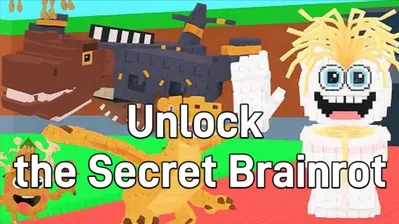
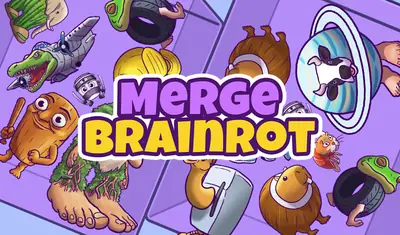
Steal the Brainrot: Collect Them All is an addictive clicker-collecting game built around strange, half-animal, half-alien creatures known as Brainrots. The core goal is simple but dangerous for your free time: collect all 120 unique Brainrots. Each click generates currency, each block opened brings suspense, and each new Brainrot feels like a small but powerful win.

The game blends classic idle clicker mechanics with a strong collection hook. Steal the Brainrot: Collect Them All isn’t just about numbers going up—it’s about curiosity, luck, and that “brainrot” feeling where you can’t stop chasing the next unlock.
How to Play Steal the Brainrot: Collect Them All
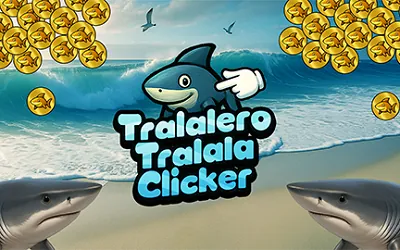
At its core, Steal the Brainrot: Collect Them All revolves around a clean and satisfying loop. You click to generate coins, spend those coins on lucky blocks, and hope to pull new Brainrots to expand your collection. Early on, progress comes mainly from manual clicking, but as you unlock and upgrade Brainrots, passive income starts to take over.
As your collection grows, the game becomes more strategic. You’ll need to decide whether to open cheap blocks for fast pulls or save up for higher-end blocks with better odds. Steal the Brainrot: Collect Them All rewards patience, smart resource management, and a strong tolerance for bad luck before those huge dopamine hits.
Game Controls
The controls in Steal the Brainrot: Collect Them All are intentionally simple so you can stay focused on clicking and collecting.
| Action | PC Controls | Mobile Controls |
|---|---|---|
| Generate Coins | Mouse Click | Tap |
Tips and Tricks
If you want to collect Brainrots efficiently and avoid stalling out, a few smart habits go a long way in Steal the Brainrot: Collect Them All.
- Save for High-End Blocks: Cheap blocks are tempting, but better blocks improve your odds long-term.
- Click Hard Early: Manual clicking is king at the start—build momentum fast.
- Upgrade for Passive Income: Let Brainrots generate coins so you’re not clicking forever.
- Track Missing Brainrots: Prioritize keeping new pulls to complete your collection.
- Stay Patient with RNG: Dry streaks happen—big hits feel even better because of them.
Key Features
Steal the Brainrot: Collect Them All stands out by turning a simple clicker into a full-on collecting obsession.
- 120 Unique Brainrots with bizarre and creative designs
- Satisfying Clicker-to-Idle Progression
- Lucky Block System that keeps every opening exciting
- Upgrade Mechanics that reward duplicates
- Strong “One More Try” Loop driven by luck and strategy
More Games Like Steal the Brainrot: Collect Them All
If Steal the Brainrot: Collect Them All has fully infected your brain, there are plenty of other Brainrot-style games worth checking out. These titles deliver similar vibes with different twists.
- Plants vs Brainrots - Strategy-driven chaos with Brainrot enemies.
- Steal a Brainrot - A faster-paced take on Brainrot collecting.
- Brainrot Craft - Crafting and progression mixed with Brainrot madness.
Frequently Asked Questions
How many Brainrots are in Steal the Brainrot: Collect Them All?
There are 120 unique Brainrots to collect, ranging from common to extremely rare.
Is Steal the Brainrot: Collect Them All an idle game?
Yes. While clicking is important early on, upgraded Brainrots can generate coins automatically over time.
What happens if I pull a duplicate Brainrot?
Duplicates aren’t wasted. They can be used for upgrades or exchanged for other resources, depending on progression.
Is Steal the Brainrot: Collect Them All free to play?
Yes, the game is free to play and runs directly in your browser.