
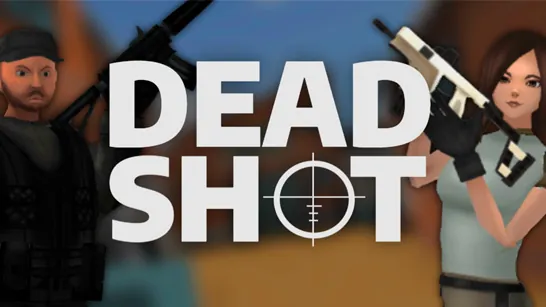





















Deadshot.io drops you into fast-paced online firefights where reflexes and aim decide the winner. No lengthy tutorials-just jump in, pick your weapon, and start competing against players worldwide. Each match is sharp, unpredictable, and perfect for quick sessions or long grinds.
What is Deadshot.io?
Deadshot.io is a browser-based .IO first-person shooter that emphasizes sniping accuracy, quick reactions, and constant pressure. You join live multiplayer matches with modes like Free for All, Team Deathmatch, and Domination. As you play, you earn experience, climb the leaderboard, and unlock weapons and cosmetics through the shop. It’s a pure skill-based FPS you can play online without downloads-similar to other shooting games but built for competitive arena combat. The game also supports multiplayer battles and features a crisp 3D visual style that keeps action clear.
How to Play Deadshot.io
Click Play to jump into a public match immediately, or create a custom room to practice with friends. Your goal: outscore the opposing team (or everyone in FFA) by eliminating enemies and completing mode-specific objectives. Movement and positioning are as important as aim-use sliding, map knowledge, and smart angles to stay alive.
Game Modes Explained
Deadshot.io offers five core modes, each encouraging different playstyles:
- Free for All (FFA) - Every player for themselves. Fast reflexes and constant movement win.
- Team Deathmatch (TDM) - Two teams fight to reach the highest kill score. Coordination matters.
- Hardpoint - Occupy and hold a rotating zone to earn points for your team.
- Kill Confirmed (KC) - Kill enemies, then collect their dog tags to secure points.
- Domination - Capture and hold control points scattered across the map to accumulate score.
Weapons and Classes
Before each match, choose a weapon class that fits your preferred range:
- SMGs - For close-quarters aggression and high mobility.
- Assault Rifles - Balanced for mid-range fights with manageable recoil.
- Sniper Rifles - Long-range precision; one-shot kills at a distance.
- Shotguns - High damage up close with high risk if you miss.
Each weapon has unique reload speed, recoil pattern, and optimal engagement distance. Experiment to find your best loadout and unlock stronger variants through progression.
Tips and Tricks for Deadshot.io
- Aim Down Sights (ADS)
Use right-click or L key to reduce bullet spread and land shots more consistently, especially at range. - Slide to Break Aim
Press Shift while moving to slide. This throws off enemy tracking and helps you escape bad positions. - Learn Map Layouts
Memorize choke points, sightlines, and spawn locations. Controlling key areas gives you a huge advantage. - Don’t Chase Kills Blindly
Overextending often leads to trading deaths or worse. Let enemies come to you when you have positional advantage. - Adjust Sensitivity
Fine-tune mouse sensitivity and keybinds in settings. A comfortable setup improves reaction time and accuracy.
Game Controls
Configure your controls in settings to customize your layout. Default actions are:
| Action | Controls |
|---|---|
| Move | WASD |
| Jump | Space |
| Crouch / Slide | Shift |
| Shoot | Left Click |
| Aim Down Sights | Right Click / L |
| Chat | Enter |
| Pause | Esc |
Frequently Asked Questions
Can I play Deadshot.io unblocked?
Yes, Deadshot.io runs directly in your browser with no installation required. You can access it on school or work networks if the site is not blocked.
What are the game modes in Deadshot.io?
The game features Free for All, Team Deathmatch, Hardpoint, Kill Confirmed, and Domination. Each mode changes how you earn points and how you should approach combat.
How do I unlock weapons and cosmetics?
Create a free account to save your progression. As you earn experience and score points in matches, you accumulate currency to buy new weapons and skins from the shop. These items remain unlocked permanently.