
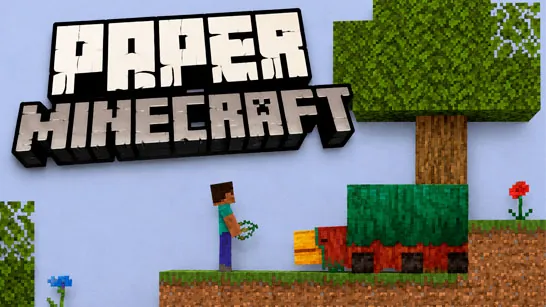




















Paper Minecraft brings the classic block-building survival experience into a side-scrolling 2D world. Created in Scratch by Griffpatch, this browser game keeps the mining, crafting, and building you love, without any downloads. Run, jump, and shape your own adventure right in your browser.
What is Paper Minecraft?
Paper Minecraft is a 2D sandbox adventure game inspired by the original Minecraft. It transforms the 3D block world into a side-scrolling environment similar to Terraria while retaining the core mechanics of mining, crafting, and survival. With both creative and survival modes, players can either build freely or gather resources and fend off monsters. The game runs entirely in your browser, making it instantly playable.
Whether you want to construct massive structures without limits or survive against hostile mobs in a blocky survival world, Paper Minecraft captures the spirit of the legendary sandbox. Its simple hand-drawn pixel art style keeps the game lightweight and accessible, but the depth of exploration and crafting remains surprisingly detailed.
How to Play Paper Minecraft
When you start, choose from three modes: Creative, Survival, or Peaceful. Each offers a different experience.
Creative Mode
Unlimited blocks, tools, and materials let you focus purely on building. Fly around the map, experiment with houses, underground bases, or entire worlds, and never worry about monsters or hunger. Perfect for relaxed creativity.
Survival Mode
Begin with nothing. Gather wood, mine stone and ores, craft tools, and collect food to stay alive. Night brings zombies and skeletons, so build a shelter quickly. Manage resources, craft equipment, and explore caves to find valuable ores. Classic survival with a 2D twist.
Peaceful Mode
Explore and build at your own pace without hostile mobs. Great for new players who want to learn crafting and world navigation without pressure.
Quick Tips for New Players
- Start with wood - It’s the foundation for tools and early crafting recipes.
- Build shelter before night - Monsters are dangerous in the dark, especially with limited gear.
- Save valuable resources - Coal, iron, and food become critical later in Survival.
- Use Creative to practice - Learn crafting mechanics and world navigation without stress.
Game Controls
| Action | Controls |
|---|---|
| Move / Jump | W, A, S, D or Arrow Keys |
| Dig or place blocks | Left mouse click |
| Open inventory or chests | E |
| Eat the held item | F |
| Split item stack | Spacebar |
| Select item from hotbar | 1-9 number keys |
| Pause / Resume | P |
Frequently Asked Questions
Is Paper Minecraft free to play?
Yes, Paper Minecraft is a free browser game. No download or purchase needed.
What is the difference between Creative and Survival?
Creative gives unlimited resources and flight; no enemies. Survival requires gathering materials, managing health and hunger, and fighting hostile mobs at night.
Can I play Paper Minecraft on mobile?
The game is designed for desktop browsers with keyboard and mouse controls. Mobile support is not confirmed.
Who made Paper Minecraft?
It was created by Griffpatch using Scratch, a block-based programming language. The game is a fan-made tribute to Minecraft.