
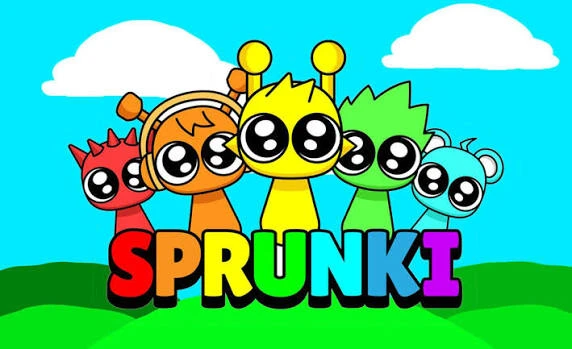






















Create your own beats and melodies in Sprunki, the viral fan-made music rhythm game inspired by Incredibox. Drag colorful costumes onto characters to build a unique soundscape, then flip the script with a secret Horror Mode that transforms the vibe into creepy visuals and eerie audio.
What is Sprunki?
Sprunki is a free browser-based music creation game where you layer sounds by dragging icons onto animated characters. It combines rhythm gameplay with a hidden mascot horror twist, making it a hit among fans of interactive music toys. This casual game lets you experiment with beats, melodies, and sound effects.
Since its release, Sprunki has gone viral among music and meme communities for its charming characters and unsettling hidden mode. Whether you’re a rhythm enthusiast or just exploring the Sprunki universe, this game offers plenty of creative freedom. Don’t forget to try the horror mode for a completely different atmosphere.
How to Play Sprunki
The goal is to create a layered musical track by assigning sounds to seven unique characters. Click and drag icons from the bottom bar onto any character to assign a beat, melody, effect, or vocal. You can mute or solo individual characters by clicking on them. Use the Reset button to clear all sounds and start fresh.
How to Activate Horror Mode in Sprunki
To unlock the secret Horror Mode, toggle the special black mask/costume icon. The cheerful graphics and music will instantly warp into glitchy, creepy visuals and eerie ambient sounds. Experiment with different sound combinations in this mode for a darker experience.
Tips and Tricks for Sprunki
- Mix and match - Try assigning different sounds to each character to create more complex rhythms and variations.
- Isolate tracks with mute - Mute all characters except one to hear a single sound clearly, perfect for fine-tuning your mix.
Game Controls
| Action | Controls |
|---|---|
| Drag and drop sounds | Mouse left click and drag |
| Mute or solo a character | Mouse left click on character |
| Reset all sounds | Click Reset button |
Key Features of Sprunki
Layer Sound Tracks
Conduct a choir of 7 unique animated characters. Drag colorful costumes onto characters to assign beats, melodies, sound effects, or vocals.
Mascot Horror Twist
Toggle a special black mask to enter the secret Horror Mode. The cheerful graphics and happy music warp into glitchy, creepy visuals and eerie ambient sound design.
Frequently Asked Questions
How do I activate Horror Mode in Sprunki?
Look for the black mask or costume icon in the interface and click it. The visuals and audio will switch to a creepy horror theme instantly.
Can I record my music creations in Sprunki?
Yes, the game includes a recording feature that lets you capture your original tracks and share them with others.