
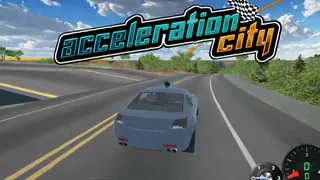





















Acceleration City
Acceleration City throws you into a neon-drenched cyberpunk world where speed is the only rule and your robot CoBot builds ramps on demand. It’s a stunt racer that rewards smart driving as much as fast driving - and hiding behind every skyscraper is a tiny creature waiting to be collected.
What is Acceleration City?
Acceleration City is a browser-based arcade driving game set in a futuristic city of glowing signs, massive ramps, and secret tunnels. You control a supercar with the help of a robotic sidekick called a CoBot. The goal isn’t just to race; it’s to pull off stunts, trigger special abilities by driving over color-coded zones, and hunt down hidden creatures called Minanimals. It’s pure adrenaline with a layer of strategy, all wrapped in a neon aesthetic that feels straight out of a “speedrun through Tokyo” dream. Play it online in your browser - no download or account needed.
How to Play Acceleration City
Core Loop
Drive through the city at high speed. Hit green zones to have your CoBot build ramps, letting you reach higher routes. Hit red zones to get a nitro boost that shoots you forward. Collect Minanimals tucked away in corners for extra rewards. The better you manage your CoBot’s reactions, the more stunts and shortcuts you can pull off.
Master Your CoBot Sidekick
Your CoBot automatically reacts to color zones on the track. Green zones = ramp building. Red zones = nitro boost. You can’t control the CoBot directly, but you can steer your car onto the zones you want. Plan your path: if you see a dead end ahead, aim for green to get a ramp over it. If you need to blast past a rival or obstacle, hit red.
Hunt for Minanimals
Minanimals are small, often hilarious-looking creatures hidden in secret places - behind billboards, inside tunnels, on rooftops. Collecting them unlocks cosmetics and upgrades. Keep your eyes peeled and take detours. The game rewards exploration.
Tips and Tricks for Acceleration City
- Use green zones to avoid dead ends
When the road looks like it’s about to end, drive over a green zone. Your CoBot will build a ramp that lets you jump over the obstacle. - Stack nitro boosts for straightaways
Chain red zones on long flat sections to maintain top speed. The boost stacks if you hit them one after another. - Check every corner for Minanimals
Many are hidden off the main path. Slow down and explore side alleys and rooftops to find them all. - Reset if you flip
Press R to instantly respawn. It’s faster than trying to flip back over.
Game Controls
| Action | Controls |
|---|---|
| Move | Arrow Keys / WASD |
| Nitro Boost | Left Shift |
| Jump | Spacebar |
| Reset | R |
| Pause | ESC |
Key Features of Acceleration City
CoBot Color Zones
Drive over green to build a ramp, red to get a nitro boost. The CoBot reacts instantly, creating dynamic pathways and speed bursts that change the feel of each run. Learning the color layout of the city is the real skill test.
Hidden Minanimals
Minanimals are collectible creatures tucked into every corner of the city. Finding them isn’t easy - you’ll need to look behind buildings, in tunnels, and on high ledges. Each one you collect adds to your progression, unlocking new upgrades and customization options.
Frequently Asked Questions
Is Acceleration City unblocked?
Yes, Acceleration City can be played directly in your browser without any download, making it easy to access from school or work networks.
What does the CoBot do?
The CoBot automatically builds ramps on green zones and activates nitro boosts on red zones. You guide it by steering your car onto the right colored strips.
How do I collect Minanimals?
Drive off the main roads and explore hidden areas. Minanimals are often behind billboards, in tunnels, or on top of structures. Use ramps (green zones) to reach higher platforms.
Can I play Acceleration City on mobile?
The source does not list mobile controls, so it is likely designed for keyboard play. You may need a physical keyboard or a browser that supports keyboard input on mobile.