




























Police Drive
Sirens blare. You floor the gas and weave through traffic—a suspect is trying to escape. Police Drive drops you into the action fast, combining open-world freedom with the urgency of real police work. It’s a driving game that rewards smart pursuit tactics, not just reckless speed.
What is Police Drive?
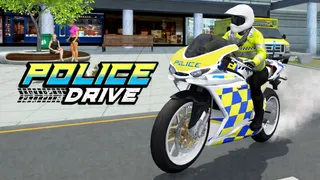
Police Drive is an open-world police driving simulation where you patrol a city, respond to crime reports, and chase down criminals in high-speed pursuits. You start by choosing a police car or motorbike, then head out to complete missions—each one a new chase that tests your vehicle control and decision-making under pressure. The game focuses on first-person driving with realistic traffic, making every pursuit feel immersive and unpredictable.
It’s one of the trending Driving browser games right now, blending Action with sim-lite mechanics. The open city, mix of vehicles, and escalating missions keep the loop fresh: chase, capture, upgrade, repeat. If you like games that respect your time but still deliver adrenaline, this one hits the mark.
How to Play Police Drive
You begin by selecting a vehicle—police car or motorbike—then head into the city. Missions appear via radio reports: reckless drivers, robberies, or fleeing suspects. Your job is to reach the scene fast and make the arrest.
During a chase, focus on three things:
- Follow the suspect without losing sight.
- Avoid civilian traffic and obstacles.
- Use speed, positioning, and vehicle takedowns to stop them.
Complete missions to earn EXP and cash. Use the money to unlock better vehicles, which handle differently and give you an edge in tougher missions. Keep an eye on your health bar and vehicle condition; too much damage or running out of fuel can fail the mission.
The open world lets you drive freely between calls—no forced routes, just a guiding arrow to your target. This freedom is a key reason players love the game.
Controls
Driving uses keyboard, and menu actions use the mouse—simple but responsive.
Game Controls
| Action | Controls |
|---|---|
| Drive | WASD / Arrow Keys |
| Interact | Left Mouse Click |
Tips and Tricks for Police Drive
Use Both Speeds
Slow down into turns to avoid losing control, but floor it on straights to close the gap.Watch the Arrow
Don’t memorize the map; follow the on-screen direction indicator to your objective. It updates in real time.Save Your Vehicle
Heavy damage slows handling. Avoid crashing into civilian cars unless necessary—a clean takedown is better than a wrecked cruiser.Upgrade Strategically
Unlock faster cars first. They make early missions easier, and you can grind cash for bikes later.
Key Features of Police Drive
Open-World City
Patrol freely through a detailed urban environment. No invisible walls or forced paths—drive wherever the chase takes you.
Vehicle Variety
Switch between police cars and motorbikes, each with unique speed and handling. New vehicles unlock as you rank up.
Realistic Traffic and Physics
Traffic moves naturally, and collisions matter. This adds tension to every pursuit—one wrong move and you’re stuck.
Mission-Based Progression
Each mission is a fresh chase with different criminals. Completing them unlocks tougher targets and better equipment.
Frequently Asked Questions About Police Drive
Is Police Drive free to play?
Yes, it’s a browser game you can play online without any download.
Can I play Police Drive in full screen?
Most browser versions support full-screen mode via the game’s menu or your browser’s full-screen shortcut.
What are the best vehicles to unlock first?
Start with a balanced police car—good speed and handling. Save cash for motorbikes once you’re comfortable with chases.
Does Police Drive have multiplayer?
The game is designed as a single-player experience. Chases are against AI-controlled criminals.