




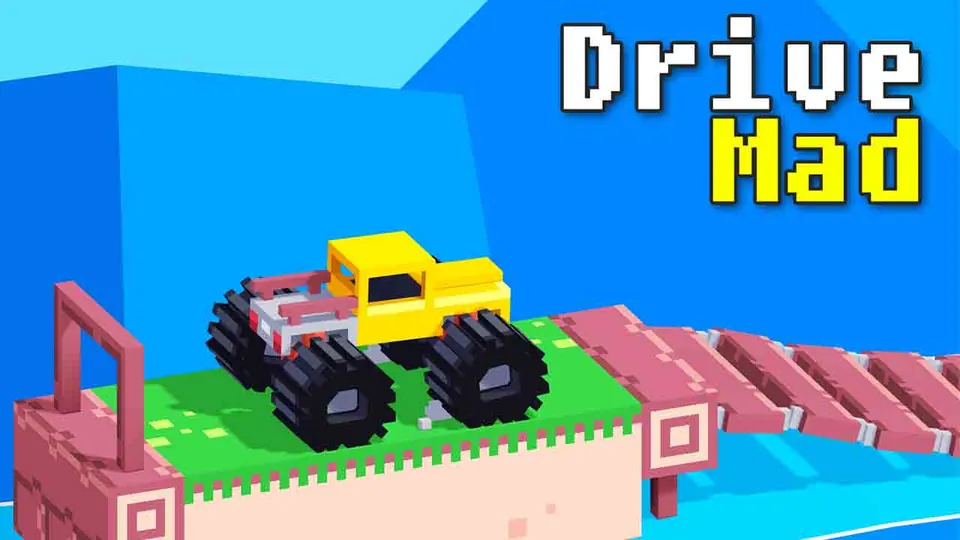
























Drive Mad 2 turns off-road driving into a physics puzzle: tilt, accelerate, and balance your 4x4 across snowy platforms without flipping over. The winter theme adds slippery surfaces and narrow paths, making every level a test of patience and control.
What is Drive Mad 2?
Drive Mad 2 is a physics-based driving game where you pilot a heavy 4x4 off-road truck through treacherous winter courses. Each level throws sharp inclines, broken bridges, and narrow platforms at you. The goal is simple: reach the finish line without flipping or falling into the void. This sequel to the original Drive Mad adds a snowy setting, seasonal decorations, and more technical tracks that demand precise balance over raw speed.
This is a driving game at heart, but it feels more like an obstacle course where car handling and 3D physics matter more than throttle. The winter theme is cosmetic but tightens the challenge - snowy platforms look forgiving, but a single mis-tilt sends you off the edge. If you enjoy mastering obstacle courses one level at a time, this game rewards patience.
How to Play Drive Mad 2
Goal
Reach the finish flag at the end of each stage without the truck flipping over or falling off the track. You earn progress by completing levels, and each new stage introduces fresh obstacles.
Map and Levels
Tracks are short but dense. You’ll face:
- Sharp inclines that lift your front wheels
- Broken bridges requiring precise jumps
- Narrow ledges where one tilt is all it takes to fall
- Moving platforms that demand timing
The winter theme means snow, ice patches, and festive decorations (snowmen, deer, wooden cabins) that add atmosphere without affecting physics.
Controls
Use keyboard keys to accelerate, brake, and tilt your truck. Balance is everything: too much speed flips you, too little leaves you stuck.
Watch Out For
- Over-accelerating: Gunning the gas on a slope flips you backward.
- Landing off-balance: Touching down with one wheel lifted often results in a roll.
- Moving platforms: Wait for the right moment or you’ll slide off.
Tips and Tricks for Drive Mad 2
- Don’t rush
Too much speed causes flips on steep slopes and narrow bridges. - Use balance wisely
Tilt your truck mid-air to land flat on tricky platforms. - Adjust speed per level
Each track demands a different pace - test the first few seconds before committing. - Let suspension settle
Pause before big jumps so the truck is stable, not bouncing. - Use reverse as a stabilizer
When your front wheels lift on a climb, tap reverse to bring them down.
Game Controls
| Action | Controls |
|---|---|
| Move forward | Up Arrow / W |
| Move backward | Down Arrow / S |
| Tilt left | Left Arrow / A |
| Tilt right | Right Arrow / D |
| Restart level | R / Enter |
| Pause | P / Esc |
Key Features of Drive Mad 2
Winter-Themed Levels
Snowy environments with ice, wooden bridges, and seasonal props create a fresh visual identity while keeping the physics tight.
Harder, More Technical Tracks
Narrower platforms and trickier obstacles demand greater balance and timing than the original Drive Mad.
Multiple Off-Road Vehicles
Unlock different 4x4 trucks with unique handling, giving you options to match your driving style to each level.
More Games Like Drive Mad 2
If you enjoy physics-based driving challenges, these games offer similar precision and balance mechanics.
- Drive Mad: The original insane road chaos - flip, crash, and survive mad driving trials.
- Moto X3M: A legendary stunt bike game featuring explosive tracks and flips.
- Hill Climb Racing: The classic balance-based racer with deep car upgrades.
Frequently Asked Questions
Is Drive Mad 2 unblocked?
You can play Drive Mad 2 in your browser without downloading anything. As long as the hosted page is available, it works on school or work networks that allow web games.
How do I restart a level in Drive Mad 2?
Press R or Enter on your keyboard to instantly restart the current level. Mobile players can tap the Reset icon.
Can I play Drive Mad 2 on mobile?
Yes. Touch controls are supported: hold the right side of the screen to drive forward, tap the left side to reverse, and use the Reset icon to restart.
What’s new in Drive Mad 2 compared to the original?
The sequel introduces a winter theme, snowy levels with new decorations, more technical obstacles, and additional off-road vehicles. Tracks are narrower and require better balance.